
To create a training course with AI, give the model your own source documents, the audience and the one thing learners must be able to do, and have it draft the outline, lessons and quiz from those documents only. Then check every fact, quote and answer key against the source before you build, because the vendors' own help pages say Articulate's AI may rely on general knowledge to fill gaps, ChatGPT can fabricate quotes and citations, and AI Assistant does not automatically cite its source. Vendors say the drafting gets faster. The checking is still yours.
Why does a course written from the AI's memory go wrong?
A one line prompt like write a 30 minute course on fire safety for warehouse staff gives the model none of your procedure or your forms to work from.
OpenAI's help center says "ChatGPT is designed to provide useful responses based on patterns in data it was trained on", and lists what goes wrong: incorrect definitions, dates or facts, "Fabricated quotes, studies, citations or references to non-existent sources", and overconfident answers to ambiguous or complex questions. The same page says the model's responses do not incorporate information about events beyond its training cutoff unless tools are used.
Articulate gives a related warning in its quiz generation article:
When details are missing, the AI model may rely on general knowledge compiled from its training to fill in gaps. For best results, provide as much context and source materials as possible.
Articulate, "Articulate 360 AI and Frontline: Building Effective Quizzes and Knowledge Checks", Quick Tip, updated 29 September 2026
On a compliance course, a gap filled from general knowledge can be a wrong duty, a wrong deadline or a step your policy does not have. Every learner then gets it with a completion record behind it.
What should you give the AI before it writes anything?
Give the model 3 things: your source pack, your audience and the outcome. The source pack is the current version of every document the course must follow: the policy, the SOP, the form, the clause of the regulation. Date each file, so whoever checks the draft knows which version was in force.
Rise 360's course drafts workflow starts the same way. You click Create with AI, describe the course, and upload source materials (the tool marks them optional) or paste text or URLs; Articulate says "The more context you provide, the better tailored the output will be to your needs." Rise then proposes the topic, tone, audience, goals and learning objectives, and you can edit each one before the outline is generated.
In a general chatbot, upload your source pack and tell the model to use only the attached documents and to flag any statement it cannot find in them. Articulate says custom prompts can further guide the model to stay focused on your course content instead of drawing from general knowledge; the page does not say this removes the need to check.
Strip names and anything personal from your source pack first; what each vendor does with an upload depends on the plan.
Your source pack can include recordings. An accounting firm gave us 10 hours of calls it had recorded with its own clients. We transcribed them and built one source of truth before any lesson was written. The course came out at 92 lessons.
Which steps can AI do, and what must a person check?
AI can draft each step below; the third column is what a person must sign off before you move on.
| Step | What AI does well | What a person must check | Source |
|---|---|---|---|
| Brief and source pack | Turns a description and uploaded documents into a topic, tone, audience, goals and learning objectives | That the pack is current and complete, because missing details may be filled from general knowledge | Rise course drafts; quiz article |
| Outline | Lesson titles, descriptions, key topics and a lesson sequence | That every objective and topic comes from a named section of the source | Rise course drafts |
| Lesson script or text | Drafts lesson content; changes tone, checks grammar, improves readability | Every fact, number, quote and reference, since AI Assistant does not automatically include a citation to the source | Rise page; AI Assistant FAQ; OpenAI |
| Build | Interactive blocks or text only lessons in Rise, with images; animations and JavaScript entrance animations in Storyline | Triggers and variables, which AI Assistant cannot currently generate or manipulate; images and the final quiz in course drafts are in beta | AI Assistant FAQ; Rise course drafts |
| Voiceover | Text to speech from the approved script | Pronunciation of terms, because AI text to speech has no SSML phoneme tags | Storyline text to speech |
| Cloned voice or presenter | A voice clone or avatar from recorded audio or footage | Consent and ownership: own voice only for an ElevenLabs Professional Voice Clone; a live consent video for a Synthesia personal avatar | ElevenLabs; Synthesia |
| Quiz | A quiz from the course content, up to 25 questions; single knowledge checks | Each answer key and its feedback, by a subject expert | Quiz article |
| Translation | Drafts in any language OpenAI supports | Accuracy, which Articulate does not guarantee; a language expert reviews | AI Assistant FAQ; Rise course drafts |
How do you check what the AI wrote?
How do you check the outline?
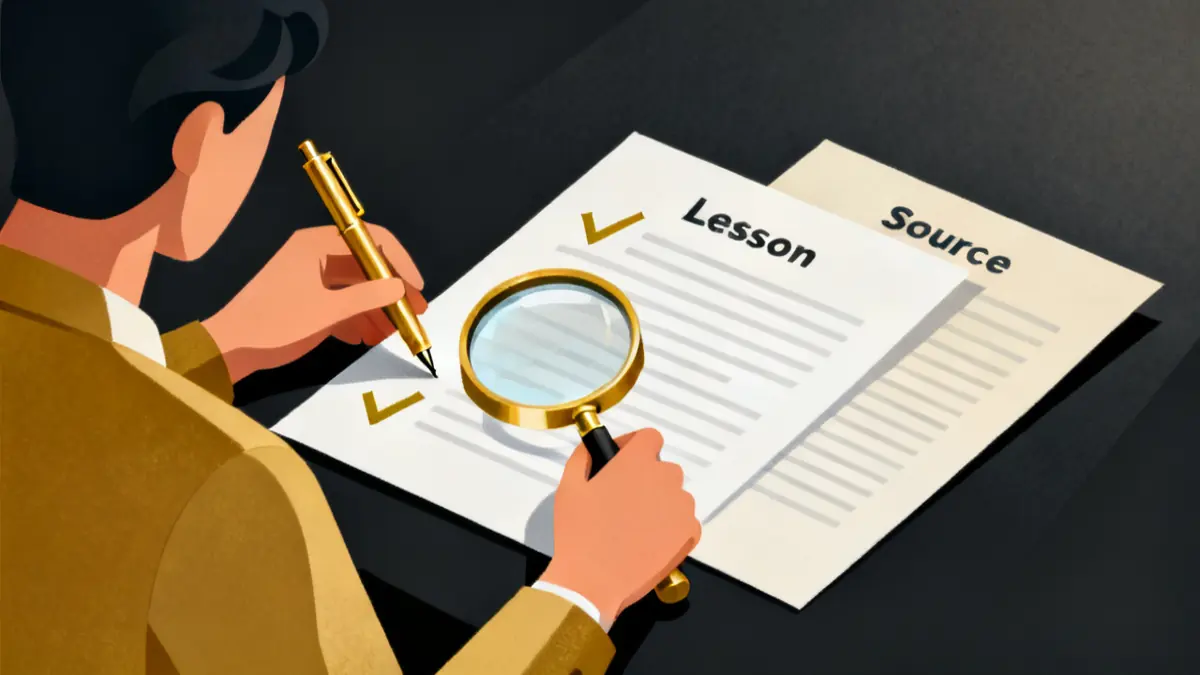
Before any lesson is drafted, write beside each learning objective the document and section it comes from. An objective with no section behind it is cut or sent to your subject expert as a question.
Rise exports the course details and the outline as a PDF or Word document "for their review or approval", meaning the stakeholder or subject matter expert you work with. Use that export as the sign off sheet, and do not regenerate the outline after sign off: Rise says regenerating it prompts you to overwrite the existing course draft.
On a US home care course we built, the sign off sheet was one PDF. It held all the approved material, with every conflict settled. The client's managers and trainers read it in a couple of hours and signed it off.
Rise also proposes a format with a target duration, from a single lesson under 5 minutes to an extended course of 10 or more lessons taking 3 hours or more. Those are learner minutes, not build time.
How do you check the script against your sources?
Go through the draft sentence by sentence and give every factual statement (a number, a deadline, a duty, a form name, a quote) a reference: document, section, page. Anything without a reference is cut or goes to your subject expert.
Articulate's AI Assistant FAQ states that "AI Assistant doesn't currently have the capability to automatically include a citation to the source of generated content." OpenAI's tips read "Use ChatGPT as a first draft, not a final source." and "Always verify quotes, data, technical information or references to external documents."
Give 3 things a second look: quotes, character by character; numbers and dates, against the version in force; and anything the model added for color, such as a statistic or a study, because fabricated studies are on OpenAI's own list.
What can AI build inside the course?
What do the authoring tools' AI features actually do?
Of the authoring tools, only Articulate's documentation was read for this guide. Articulate says AI Assistant is built into Rise 360 and Storyline 360 and can generate course outlines, lesson content, quiz questions and custom images from a topic, a document or your own source material. The Rise product page adds: "AI Assistant accelerates online course creation, but doesn’t take it over."
In Rise, course drafts run in 4 steps: gather context, configure course details, review the course outline, refine the course draft. You choose interactive blocks with text and images, or text only, and the workflow cannot yet generate audio.
In Storyline, AI Assistant changes tone, checks grammar, improves readability, generates images, turns text into speech and builds quizzes from your course content. AI Assistant generates animations and JavaScript entrance animations, but generating or manipulating triggers and variables is currently unsupported, so any interaction that depends on one is still yours to build. Which tool fits which course is covered in Rise vs Storyline, which to use for which course, and seat prices in Articulate Storyline 360 pricing explained.
Articulate's AI Assistant FAQ, updated 25 August 2026, says AI Assistant is available only as part of the Articulate 360 AI package and that the free trial includes it. Articulate's general FAQ, read 9 October 2026 with no date on the page, says AI Assistant is "included in every Articulate 360 plan". The two pages were not reconciled for this guide, so confirm what your subscription includes before you start.
Can AI do the voiceover and the on screen presenter?
Yes for the voiceover, with a listening pass. Storyline's AI Assistant can "turn text into natural-sounding speech and sound effects", but Articulate's text to speech article notes that the AI models do not support SSML phoneme tags, so special terminology or pronunciation is harder to indicate. Listen to every acronym, product name and place name before you publish.
ElevenLabs says you can only create a Professional Voice Clone of your own voice, and "Even with their consent, you cannot clone someone else’s voice." A colleague who wants to lend their voice creates and verifies the clone on their own account, then shares it with you by a private link.
A video avatar of a real trainer also starts with consent. Synthesia's documentation says the consent video must be recorded live by the same person who appears in the footage, and a consent video recorded earlier cannot be uploaded. Synthesia also lets avatar owners request that their data be deleted at any time, so plan for the course outliving the trainer's agreement.
Can AI write the quiz?
Yes, as a first draft; your subject expert checks every answer key. In Rise, Generate quiz lets you set a focus topic, a learning objective and a difficulty level. Articulate says the model covers the key points of the course up to a maximum of 25 questions, and in practice tends to produce 1 to 2 per lesson.
In Storyline the quiz draws on slide and layer text, text to speech scripts, captions and slide notes (if enabled in Player Properties); with limited material you may get fewer questions than you asked for.
An error the script check missed becomes a marked answer. For each question, your expert confirms the keyed answer against your source, that no distractor is also correct, and that the feedback matches the source.
Is it safe, and how long does it take?
Is your training content used to train the model?
That depends on the vendor and the plan, so check the setting before your first upload.
As of 9 October 2026, OpenAI's help page showed that it may use content from its services for individuals, such as ChatGPT, to train its models, and that you opt out by turning off Improve the model for everyone under Settings > Data controls, or with Do not train on my content in its Privacy Portal. The page gave only a relative date ("Updated: 11 days ago"), so confirm the setting in your own account.
ChatGPT's temporary chats are not used while they remain temporary. A thumbs up or thumbs down can still lead to the entire conversation being used to train its models after you opt out. By default, OpenAI does not use inputs or outputs from ChatGPT Business, ChatGPT Enterprise, ChatGPT Edu or its API to improve its models.
Anthropic's article covers its consumer plans (Claude Free, Pro and Max): chats are used to improve its models if you allow it or otherwise opt in, and flagged conversations may be used for safety work, including training models for its Safeguards team. Incognito chats are not used, and a thumbs up or down stores the whole related conversation for up to 5 years. Anthropic's commercial products have a separate article, not read for this guide.
Articulate says "your content never trains our foundation models without your permission" and that its AI model providers must delete customer content immediately after generating output. Uploaded source files are not deleted automatically while you are subscribed. Account owners and primary admins can switch AI Assistant off from the account dashboard, but not one feature at a time.
How long does it really take?
Articulate's FAQ says AI Assistant enables users "to create training up to 9x faster" and can "generate a working draft from source material in minutes". These vendor figures are claims about creating courses; the pages read for this guide do not say how the 9x was measured or whether it includes review and sign off. Hours for the review and your subject expert's sign off were not found in the pages read for this guide.
The pages read give few hard durations. An ElevenLabs Professional Voice Clone usually takes 3 to 6 hours to fine tune and can take up to 24 hours. Synthesia says a personal avatar from video, its legacy option, is ready in 24 hours. Everything in the time table below is the author's estimate.
How do you create a training course with AI?
You need your source pack, a subject expert for 2 short reviews, a chatbot with training turned off (or a temporary or Incognito chat), an Articulate 360 AI free trial if you build in Rise or Storyline, and an LMS test course.
- Build the source pack. Current, dated versions of each policy, SOP, form and regulation clause, personal data removed.
- Write the brief. Audience, the one thing learners must do afterward, and the format.
- Generate the outline from the pack only, with an instruction to flag anything not in the documents.
- Get the outline signed off. Add a source column and send it to the subject expert.
- Draft the lessons from the approved outline.
- Check every factual sentence against the pack and cut what has no source.
- Build it in Rise or Storyline, adding any trigger or variable logic yourself.
- Add the voiceover and listen for every term the voice could mispronounce. If you clone a voice or a face, the owner records the consent.
- Generate the quiz and have the expert check each answer key and its feedback.
- Publish to the LMS test course and confirm that completion and the score arrive, as covered in how to track training completion in an LMS.
| Task, for a 20 to 30 minute compliance module | Rough time |
|---|---|
| Source pack and brief (steps 1 and 2) | 1 to 2 hours |
| Outline and sign off (steps 3 and 4) | 1 hour, plus the expert's turnaround |
| Lesson draft (step 5) | Under 1 hour |
| Checking the script against the pack (step 6) | 2 to 4 hours |
| Build, voiceover, images (steps 7 and 8) | 3 to 6 hours |
| Quiz and expert review (step 9) | 1 to 2 hours |
| LMS test (step 10) | 1 hour |
These are the author's working estimates for someone who knows the authoring tool, not vendor figures. Step 6 grows with the number of facts in the course, not its length.
What goes wrong when AI writes the course?
- Prompting from memory. Without a source pack the model may fill the gaps from general knowledge.
- Trusting a citation the model wrote. Fabricated citations are on OpenAI's list of errors.
- Planning to clone a colleague's voice. An ElevenLabs Professional Voice Clone can only be your own voice.
- Rating a chat about a confidential policy. On OpenAI's individual plans a thumbs up can lead to the whole conversation being used to train its models, even after you opt out.
- Shipping a generated translation unchecked. Articulate does not guarantee its accuracy and recommends a language expert; see translating a training course into Spanish.
Rather not build it yourself? We build lesson 1 of your course free, from your own material, then give you a fixed price for the rest. See the free first lesson.
Other questions about building courses with AI
Can ChatGPT write a course outline?
Yes, but OpenAI's advice is to use ChatGPT "as a first draft, not a final source", so map each objective to your documents before you write a lesson.
Is AI generated training content accurate?
It can be wrong. OpenAI lists incorrect facts and fabricated citations among the errors ChatGPT can produce, and Articulate says it cannot guarantee the accuracy of content generated in other languages.
Do I have to tell learners the course was made with AI?
Articulate does not automatically tag AI generated content and says complying with transparency laws remains your responsibility. This page has not read the law that applies to you.