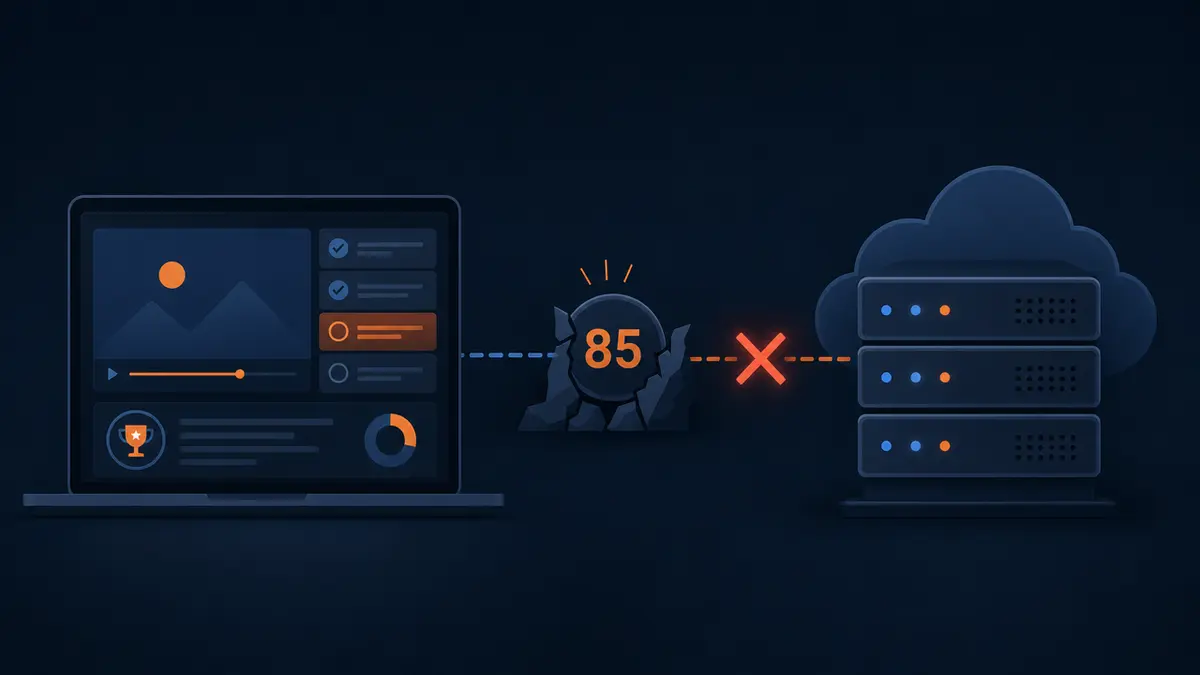
A SCORM score that does not show in the LMS usually means the quiz slide is not tracked, the SCORM reporting pair does not include a score, or the LMS completion rules override what the package sends. Test the package in SCORM Cloud to see what score it reports, then match your authoring tool settings and LMS completion rules to it. This applies to SCORM 1.2 and SCORM 2004, in any LMS.
Why is the quiz score blank in the LMS?
Three causes account for most cases.
The quiz slide is not marked as tracked. In Storyline 360, a result slide must be a Final Assessment, a Pre-Check, or a Knowledge Check added with Add tracked quiz. A plain quiz slide without a result slide, or a result slide that is not tracked, sends no score.
Articulate's publishing guide says a Pre-Check reports only if the learner passes. A Knowledge Check counts only if you add it with Add tracked quiz. Open the Tracking tab in the Publish window: if When the learner completes a quiz is grayed out, your course has no result slide yet.
The LMS Reporting pair does not include a score path. Articulate lists 4 reporting pairs: Passed/Incomplete, Passed/Failed, Completed/Incomplete, and Completed/Failed. SCORM passed vs completed explains the difference in detail. SCORM 1.2 sends one status value, and the LMS then has to decide whether that value means a completion, a success, or both. If you pick a Completed pair, the package reports completed and no score passes through. The Passed pairs are more likely to carry a score.
Each LMS, however, can interpret statuses differently (especially for SCORM 1.2 courses).
Articulate, "How to Report Completion and Success Statuses to an LMS"
- The LMS completion rule overrides the score. Moodle ships with Mastery score overrides status set to Yes. If your package's imsmanifest.xml has a mastery score and the learner's raw score is below it, Moodle rewrites the status, and the displayed score may not match what the package sent. TalentLMS has Score calculation under Course options, and if it is not set to Units I choose with the SCORM unit selected, the SCORM score may not become the course score.
How do I check what score my package actually sends?
Run it in SCORM Cloud first. Import the package, launch it, complete the quiz, and look at the Completion and Score columns on the results page. SCORM Cloud is free and shows exactly what the package reports before any LMS settings interfere. If you need someone to build or fix the SCORM package itself, see our SCORM development services.
If your content doesn't work in SCORM Cloud, it is probably not going to work in your LMS either.
Rustici Software, "SCORM Cloud Testing"
Then run it in your own LMS with debugging on. For Moodle, turn on Activate API debug and tracing. For TalentLMS, open the browser console and run the course to the end, watching for LMSSetValue calls. The debug output shows the exact score value, the status, and whether the commit succeeded.
How do I fix the score in each authoring tool?
In Articulate Storyline 360
Open the Publish window, go to the LMS / LRS tab, click Reporting and Tracking, and check the Tracking tab. Mark When the learner completes a quiz. Under LMS Reporting on the LMS tab, pick a Passed pair. Articulate recommends Passed/Incomplete or Passed/Failed because those are most likely to record both status and score.
Articulate also says Storyline 360 sends only the first completed criterion. If you mark slides viewed and a quiz, and the learner hits the slide count first, the quiz score never reaches the LMS. Mark only one tracking option.
In Articulate Rise 360
Rise handles completion and scoring differently. Rise exports as SCORM 2004 only, which reports completion and success as two values. In the Export settings, set Completion to Track using course completion or Track using quiz result, and set the passing score. Export to SCORM 2004 4th Edition if your LMS supports it.
In Adobe Captivate
Captivate uses the Reporting settings in the Quiz Preferences. Set Report to LMS to Pass/Fail or Percentage, verify the passing score in Quiz Pass or Fail, and check that Reporting Level is set to Report score or Report status and score.
In iSpring Suite
iSpring reports the score from a graded quiz automatically when Publish to LMS is set. Open Properties, go to the LMS tab, and set Reporting status to Passed/Failed or Completed/Incomplete with Score.
What if the LMS shows the wrong score?
Check 2 things that override the score after the package reports it.
Moodle: the mastery score. If Manifest has a mastery score node and Mastery score overrides status is on, a raw score below the mastery score rewrites the status to failed. Moodle's FAQ documents this exactly. Open imsmanifest.xml, search for adlcp:masteryscore, and either remove the node or turn off the setting.
TalentLMS: Score calculation. The scoring article says the score shows as the course score only after learners complete the course again with the new setting.
Canvas: import type. If the file was imported as an ungraded assignent, the gradebook never sees the score and the type cannot be changed. Import again as a graded assignent in a test course first.
A SCORM course that won't complete? Send it to us. We fix one course free for companies, or tell you why it fails, within 48 hours. See the free SCORM fix.
Other questions
Why does Moodle show 0 for the quiz score?
Most likely the Grading method is Learning objects and the package does not send learning-object scores in the forma Moodle expects, or the package reports a status and no numerical score at all. Switch to Highest grade if your package sends a numerical score.
Does SCORM 2004 report scores differently than SCORM 1.2?
SCORM 2004 uses cmi.score.raw, cmi.score.min, and cmi.score.max instead of cmi.core.score.raw. Most LMSs handle both, but the data model element is different. SCORM 1.2 vs SCORM 2004 compares the elements in full.
Can I manually enter a SCORM score?
Not through SCORM itself. Moodle lets a teacher with the Override activity completion capability mark a SCORM activity complete by hand, but Moodle Docs does not describe overriding the score.
A SCORM quiz that will not report? We fix one course free for companies. See the free SCORM fix.